


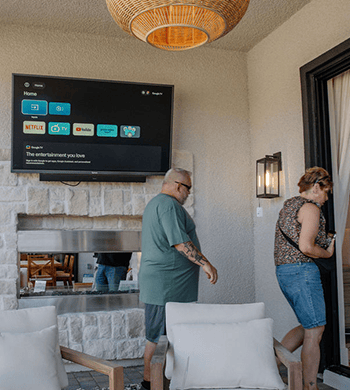

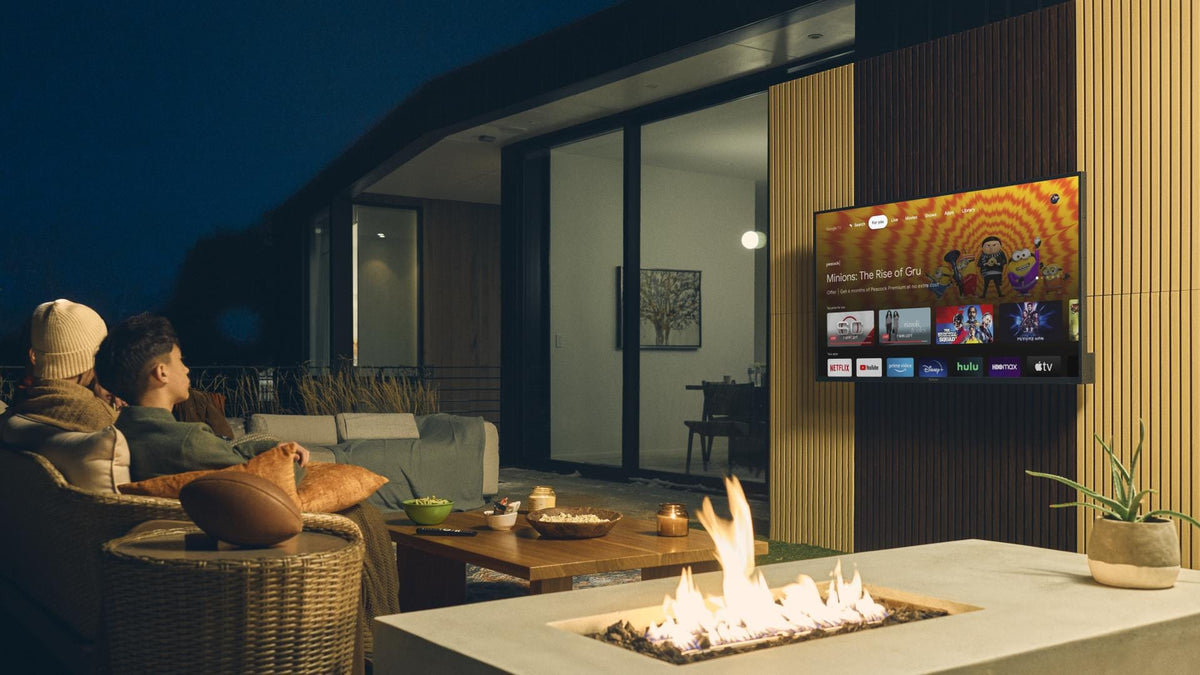
For a patio TV, Ethernet is usually the most predictable choice when a safe cable route is practical; an outdoor access point is the stronger wireless option when the patio needs dedicated coverage; and a mesh node is best for a modest coverage gap when that node can still maintain a strong connection back to the main router.The important part is not the Wi-Fi icon inside the house. A patio connection has to work at the television’s final mounting position, through the exterior wall, during the hours when people will stream a game or movie. Distance, building materials, node placement, available power, and the feasibility of a protected cable route can change the answer.
Start With the Failure, Not the Equipment
Look for four patterns:
- Weak coverage: Devices lose signal or reconnect near the patio.
- Signal without stable playback: Video buffers despite a visible Wi-Fi connection; interference or a weak mesh backhaul may be involved.
- Whole-home slowdown: Indoor devices also struggle, pointing to the service, modem, or main router.
- TV-only trouble: Other devices work at the same spot, so check the TV’s settings and supported connections first.
Google’s Wi-Fi guidance notes that distance, frequency, building materials, and physical barriers can affect performance. It also recommends placing mesh points in open locations between the router and the area needing coverage—not directly in the weakest spot—and testing the mesh after placement.
Option 1: Ethernet for the Most Predictable Link
Ethernet removes the last wireless hop between the network and the television. That makes it the clearest starting point when uninterrupted sports, long movies, or frequent 4K streaming matter and a protected cable path already exists.Choose Ethernet when:
- a cable can reach the patio without an improvised route through a door or window;
- the television or streaming device has a compatible Ethernet port;
- walls, masonry, metal siding, or distance make wireless performance inconsistent;
- an installer can protect and terminate the outdoor run correctly.
The tradeoff is installation. Cable routing, penetrations, moisture protection, and local requirements need to be assessed for the property. Do not treat an indoor patch cable laid across a patio as permanent. If the TV lacks Ethernet, a compatible streaming device or adapter may provide a wired path, but verify compatibility first.Best fit: New construction, a remodel, an existing conduit, or a high-priority viewing area where consistency matters more than installation simplicity.
Option 2: An Outdoor Access Point for Dedicated Patio Coverage
An outdoor access point extends wireless coverage from a location designed for the environment. It is often the better wireless architecture when the patio is beyond a dense exterior wall, covers a larger seating area, or needs to serve several devices—not just the TV.Choose an outdoor access point when:
- the patio, pool deck, or backyard needs its own coverage zone;
- several phones, speakers, cameras, or streaming devices will connect outside;
- a wired network connection can reach the access point even if it cannot reach the TV;
- the device can face the seating and screen area from a suitable mounting point.
The access point must be rated and installed for its exposure. Follow its instructions and use a qualified installer when cabling, weather sealing, or local requirements are involved.Best fit: A large patio or pool area, multiple outdoor devices, or a house where the exterior wall blocks indoor Wi-Fi but a protected network run to an exterior access point is feasible.
Option 3: Mesh Wi-Fi for a Moderate Coverage Gap
Mesh is usually the least disruptive option because it can extend an existing home network without running a cable all the way to the TV. It works well when the patio sits just beyond an interior coverage edge and a node can be placed indoors, close to the exterior wall, while still receiving a strong connection from the main router or another node.Choose mesh when:
- the gap is relatively small;
- there is a good indoor location between the router and patio;
- the mesh node is compatible with the existing system;
- the node can stay indoors unless specifically rated for outdoor use;
- testing shows that its backhaul remains strong.
A node placed beside the TV may only repeat a poor connection. Put it partway toward the patio, elevate it, keep it out of a cabinet, and test again.Best fit: Covered patios close to the house, renters or finished homes where new cabling is difficult, and households already using a compatible mesh system.
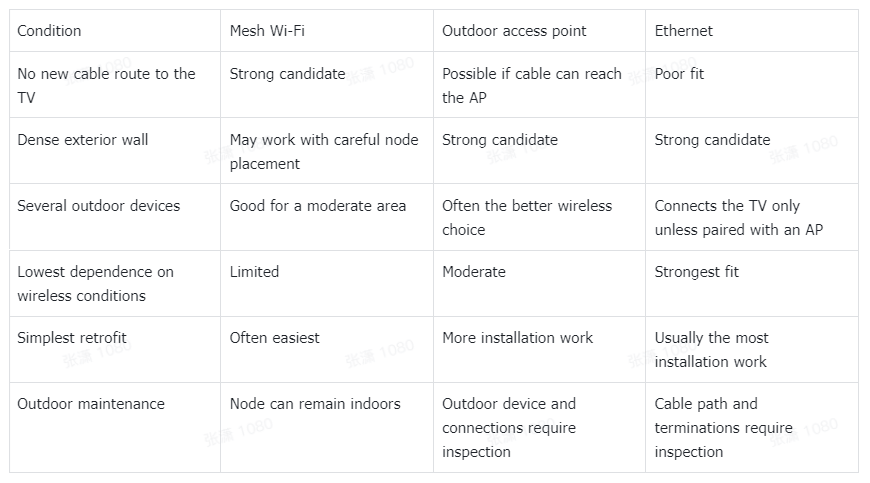
Quick Decision Table
Check the TV Side of the Connection
The network design still has to match the television. Connectivity varies by model, so check the exact Sylvox outdoor TV product page or manual for supported Wi-Fi bands and available ports before choosing a wired or wireless plan.For a new installation, review the Sylvox outdoor TV collection alongside the network plan. A Sylvox patio TV setup is a system: display location, mounting, power, network, and audio all affect the result.
A Practical Installation Workflow
- Mark the final screen and seating positions.
- Test at screen height with doors closed, using the actual streaming service.
- Move an existing mesh node partway toward the patio and retest, if available.
- Compare the result with a temporary wired test when practical.
- If the whole patio needs wireless coverage, evaluate an outdoor AP location.
- Confirm the selected Sylvox outdoor television model’s ports and document the final settings.
Final Recommendation
Use Ethernet when you can install it correctly and want the most predictable TV connection. Use an outdoor access point when the whole patio needs dependable wireless coverage. Use mesh Wi-Fi when the patio is near the house and a well-placed indoor node can bridge a moderate gap.For most retrofit projects, test mesh placement first because it is reversible. If buffering continues through the exterior wall, compare a temporary wired connection. That simple A/B test helps distinguish a Wi-Fi coverage problem from an internet-service or TV-specific problem before you invest in permanent work.
FAQ
Why does the patio TV buffer when Wi-Fi looks strong indoors?
Indoor signal does not show what happens through the exterior wall at the TV. Distance, wall materials, frequency, interference, and the connection between mesh nodes can all affect the final link.
Should a mesh node go next to the patio TV?
Not automatically. A mesh node needs a strong connection back to the router or another node. Place it between the router and the weak area, then use the system’s mesh test or diagnostic tools.
Does every Sylvox outdoor TV support Ethernet?
Yes. All current Sylvox Outdoor TV models support Ethernet. Connectivity features may vary by model, so check the current product page or manual for the exact model's available ports before choosing Ethernet or Wi-Fi.
Is an outdoor access point better than mesh?
It is better when the outdoor area needs a dedicated coverage zone and a suitable wired backhaul and mounting location are available. Mesh is often simpler for a smaller gap near the house.


Leave a comment